โœฆGamerX

Hill Route Bus Simulator

LOADING

warming up Hill Route Bus Simulatorโ€ฆ

๐Ÿ’ก click the game once so it hears your keyboard

Bus driving

Bus simulator: drive a 3D bus through the hills, free online

Twelve metres of bus, a mountain road, and a timetable that will not wait.

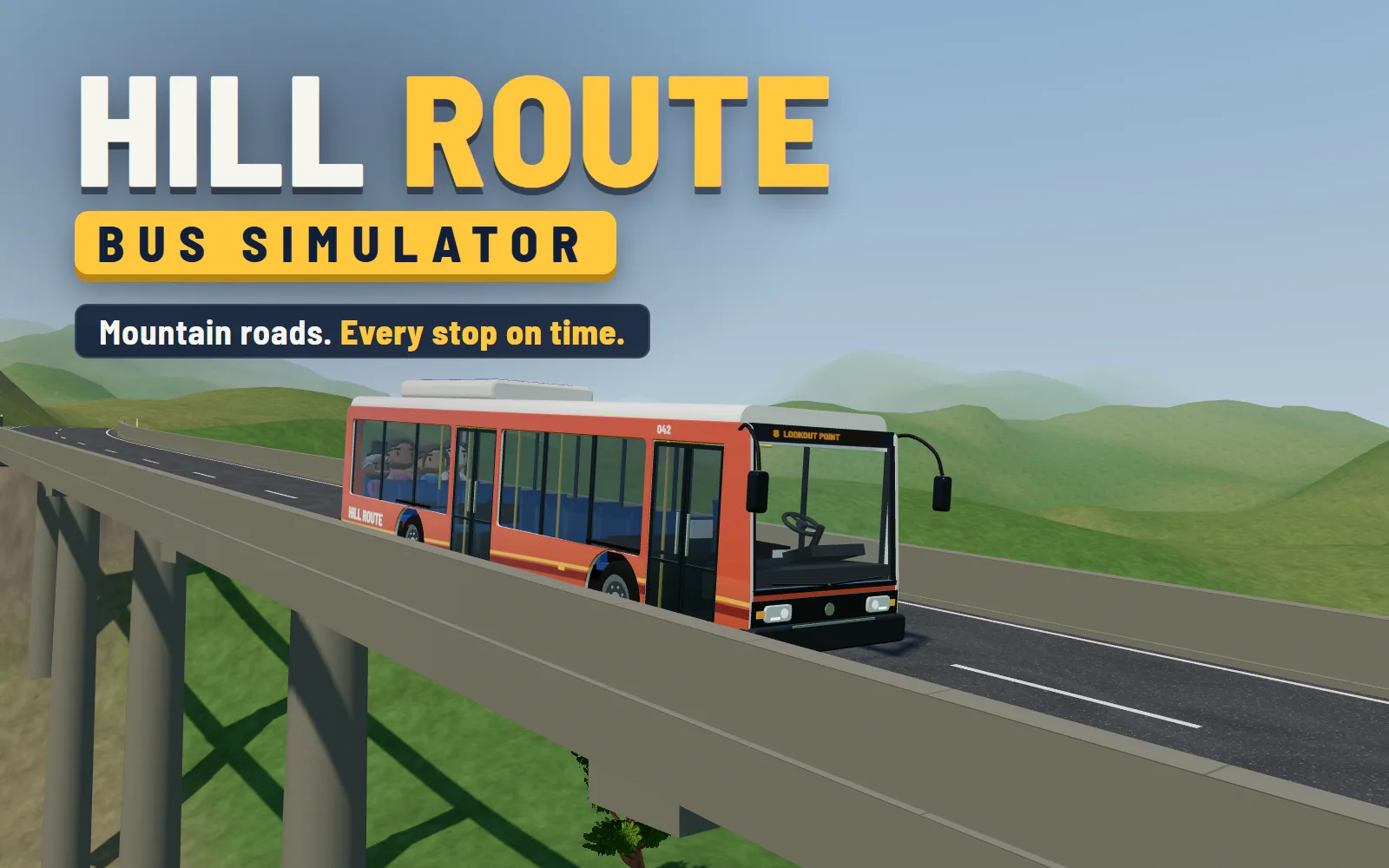
Drive a twelve-metre bus along country roads in the hills: over bridges, round mountain hairpins and along a lake shore. At each stop, pull in with the front door at the shelter, open the doors, and let your riders off and the people waiting on. Keep to the timetable and drive smoothly, because standing passengers feel every hard brake and every bend taken too fast. Fifteen routes in three regions, by day, at dusk and at night, with oncoming traffic that waits for you at the tight bends. Fares and tips buy new paint for the bus in the garage.

Found inUnblockedWebGLRacing3D

Free to play, no download, no sign-up. Hosted with โค by GamerX.

How to play Hill Route Bus Simulator

Pick a route and press Start. W is the gas, S the brake, and A and D steer; on a phone, turn the wheel with your thumb and press the pedals on the right, lower for harder. Follow the road to the next stop. A yellow box painted in the bay shows where the bus should stand, with its front door level with the shelter. Put the right indicator on with E, ease in, and stop inside the box, close to the curb and straight. Press F, or the Doors button, and the doors open: riders for this stop step off by the middle door, and the people waiting get on by the front and pay their fare. Close the doors and drive on. The last stop ends the route, with a star for being on time, one for a comfortable ride and one for no damage.

Tips

  • Brake early and gently. A held brake builds up slowly on purpose, and a stab at the last moment throws the standing passengers about, which costs comfort, and comfort is a star.
  • Stop with the front door at the shelter, not with the bus in the middle of the box. The panel at the top of the screen shows which check you are missing: door at the shelter, at the curb, or straight.
  • Put the right indicator on before you pull in to a stop. It pays two coins a stop, and the stop bell rings well before the shelter, so there is time.
  • On the mountain routes oncoming cars wait for you at the hairpins. Swing wide and use the whole road there: the bus is twelve metres long and its rear wheels cut inside the bend.
  • The camera swings round to watch the doors at each stop. If you would rather stay behind the bus, turn Camera at stops off in Settings.

About Hill Route Bus Simulator

Hill Route is GamerX's own bus game, written for the browser in three.js. Its roads are not drawn by hand. Each route is laid out from a seed as a chain of straights and bends, then given heights from the land around it, graded so no climb is steeper than its region allows, and levelled flat at every stop, so a bus standing at a shelter never rolls. Where a road would need a deep embankment it gets a bridge on piers instead, and the hillside is cut and banked around the rest. The bus is simulated rather than animated: a twelve-metre body on a six-metre wheelbase, with its own turning circle, brakes that build up, a hill hold, and tyres that run wide past their grip, stepped sixty times a second so the same inputs always give the same drive. Before shipping, every route was driven start to finish by a careful test driver, on time and without a scratch. The trees, rocks, passengers and cars are free-to-use models, the engine, brakes and doors are recordings of the real things, and the bus itself, doors and seats and all, is modelled in code.


What you need

Graphics
WebGL, which every browser from the last decade has switched on already
Controls
Keyboard or touchscreen
On a phone
Yes
Install
Nothing. It runs in this tab.

Questions

Is Hill Route Bus Simulator free?
Yes. It runs in your browser with nothing to download or install and no account. Your routes, stars and coins are saved in your browser.
How do I open the doors at a stop?
Stop the bus inside the yellow box with the front door by the shelter, close to the curb and straight, then press F or Enter on a keyboard, or the Doors button on a phone. The doors stay shut while the bus is moving, and it will not drive off with them open.
Can I play it on a phone?
Yes, held sideways. A steering wheel sits on the left of the screen and the gas and brake pedals on the right; Settings can swap the wheel for arrow buttons. On an older phone, set Graphics to Low.
How do I get three stars on a route?
Finish inside the time to beat without missing a stop, keep the ride comfortable (an average comfort of 70% or more), and keep the damage under 10%. Each star is kept once you have won it.
Can I play Hill Route Bus Simulator on a Chromebook, at school, or on a phone?
Yes on a Chromebook. Hill Route Bus Simulator draws with WebGL, which every Chromebook has had for years, and it is built for integrated graphics rather than a dedicated card. On a school or office network there is nothing here for a filter to object to on the usual grounds: no download, no installer, no browser plugin, no account, no chat and no user-generated content. Whether your particular filter lets it through is its decision and not something any site can promise. It plays on a phone with touch controls, and it is built wide - turning the phone sideways gives it the shape it was designed for. A keyboard works too.

If you liked this

Controls

  • Wโ†‘Gas
  • Sโ†“Brake
  • ADโ†โ†’Steer
  • FEnterOpen and close the doors at a stop
  • QELeft and right indicator
  • RReverse gear, and back to drive
  • CChange camera
  • HHorn
  • SpaceHandbrake
  • PEscPause
  • Drag the wheelSteer on a phone
  • PedalGas and brake on a phone: lower on the pedal presses harder
  • Doors buttonOpen and close the doors on a phone